Symtrain · UX Design · 2025
Visual Dynamic Syms
A Sym where the trainee works the screen and the conversation at once. The hard part was binding real product screens to a call that is never scripted.
Symtrain trains customer facing teams by having them practise real calls against an AI customer. A Dynamic Sym makes that customer improvise, responding to whatever the trainee says instead of following a script. But a lot of real work is not only a conversation. A rep is also moving through software while they talk, pulling up an account, reading a screen, clicking the right thing at the right moment.
Visual Dynamic Syms add that second layer. The trainee holds the live, unscripted conversation and navigates the actual product screens at the same time. I designed the creation experience: how a trainer assembles both layers, the conversation and the screens, and binds them together without writing a line of code. This study is about that creation experience, and the one idea that makes it work.
A visual layer on top of a conversation that improvises.
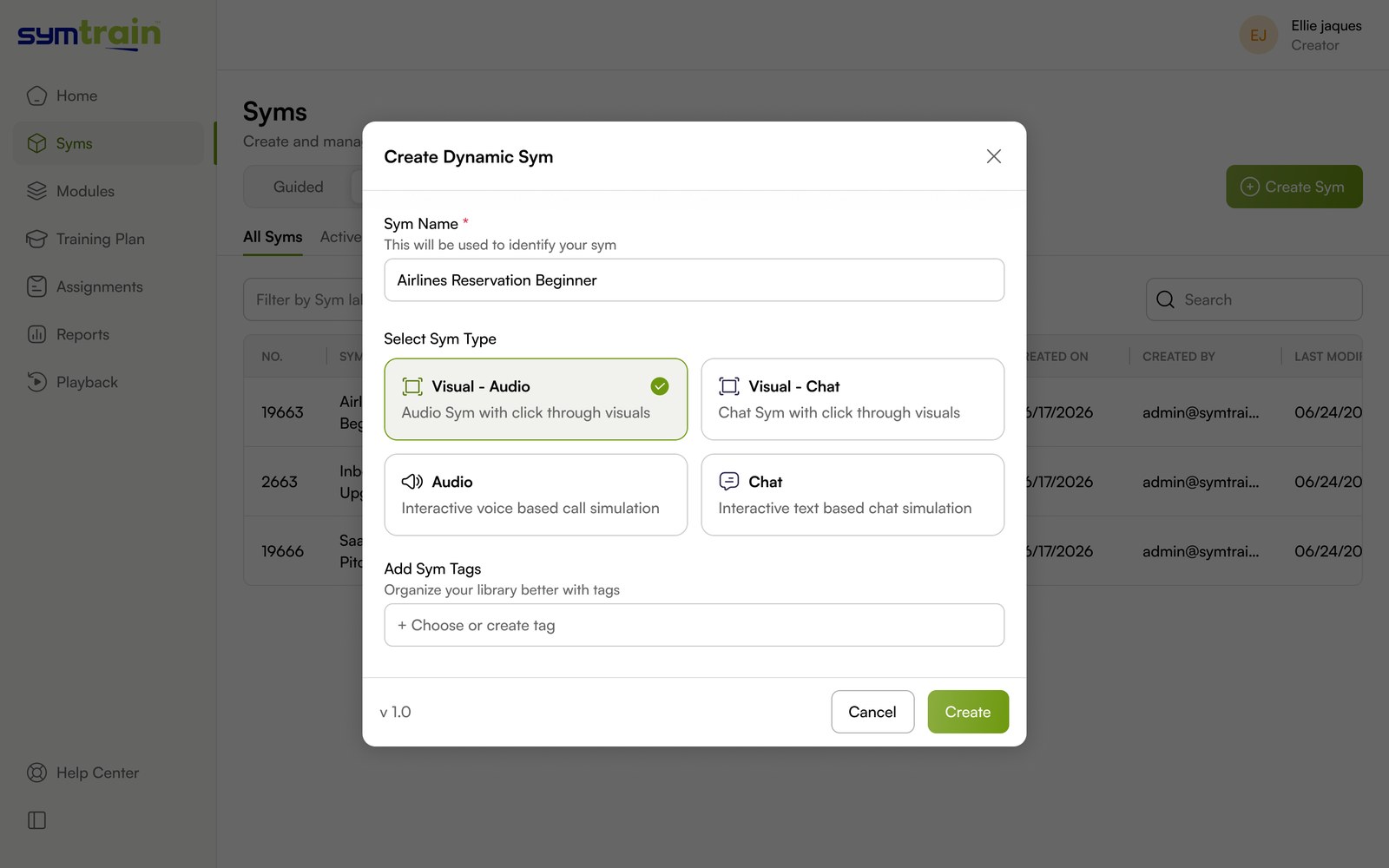
Every Symtrain simulation is a Sym. Syms come in four types depending on what the trainee is doing: Audio and Chat are conversation only, while Visual Audio and Visual Chat add real screens the trainee clicks through as they talk.
Across those types sits a second axis. A Guided Sym runs on a fixed script, so every screen can be wired to a known step. A Dynamic Sym replaces the script with an AI customer, so the path is never the same twice.
Visual Dynamic Syms sit where those two meet: the visual, screen based experience of a Visual Sym, run on the open, improvised engine of a Dynamic Sym. That intersection is exactly what makes them interesting to design. You keep the realism of working a real interface, but you lose the one thing that made visual Syms easy to build, a predictable order of screens.
You cannot storyboard a conversation that writes itself.
A scripted visual Sym is a slideshow with branches: the author knows screen two follows screen one. An unscripted one has no such order, which turns a simple feature into four real design problems.
Screens without a sequence
When the conversation can go anywhere, a fixed order of screens breaks immediately. The visual layer had to attach to the shape of the conversation, not to a step number.
Two layers, one author
The creator is a trainer, not an engineer. They had to build a conversation and a screen flow and the link between them, inside one tool, without scripting or tagging logic by hand.
The right screen at the right moment
If the wrong screen is showing while the customer raises an objection, the realism is gone. The experience had to keep the visual and the conversation in step as the call moves.
Native to a product that already exists
Visual Dynamic Syms are a new capability inside a mature product. Creation had to reuse Symtrain's existing patterns so a new, more complex flow still felt like the same tool.
Bind the screens to phases, not to steps.
The decision the whole product rests on: since the conversation has no fixed order, screens are not sequenced. Each screen is attached to a conversation phase, and surfaces when the unscripted call reaches that phase. One structure holds the two layers together.
Because the conversation improvises, a screen attaches to a phase rather than a position in a list. A screen can belong to more than one phase, and it surfaces when the call reaches that part of the conversation. This is the join that lets a fixed set of screens follow a conversation that is different every time.
For the creator, two layers that never feel like two tools.
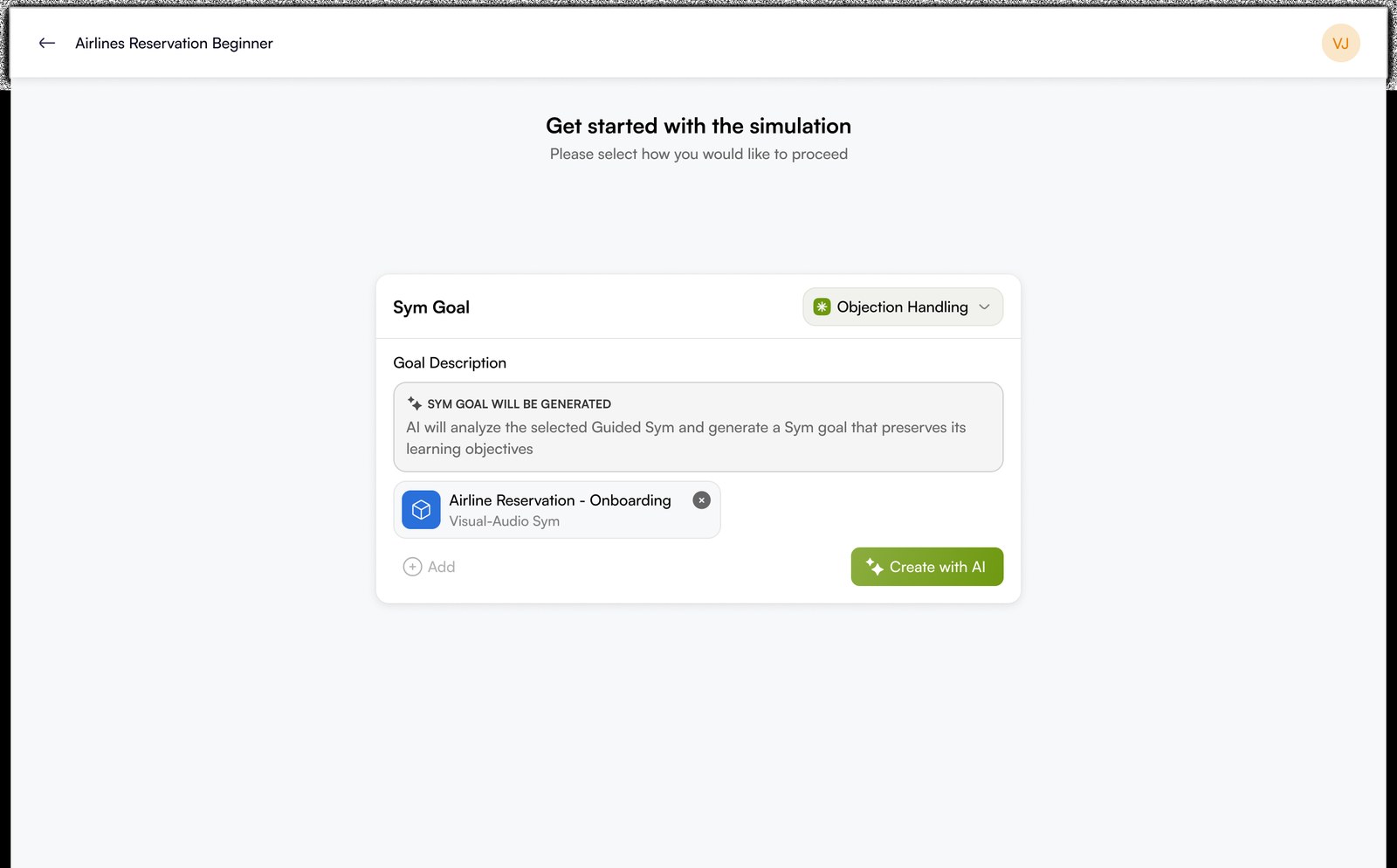
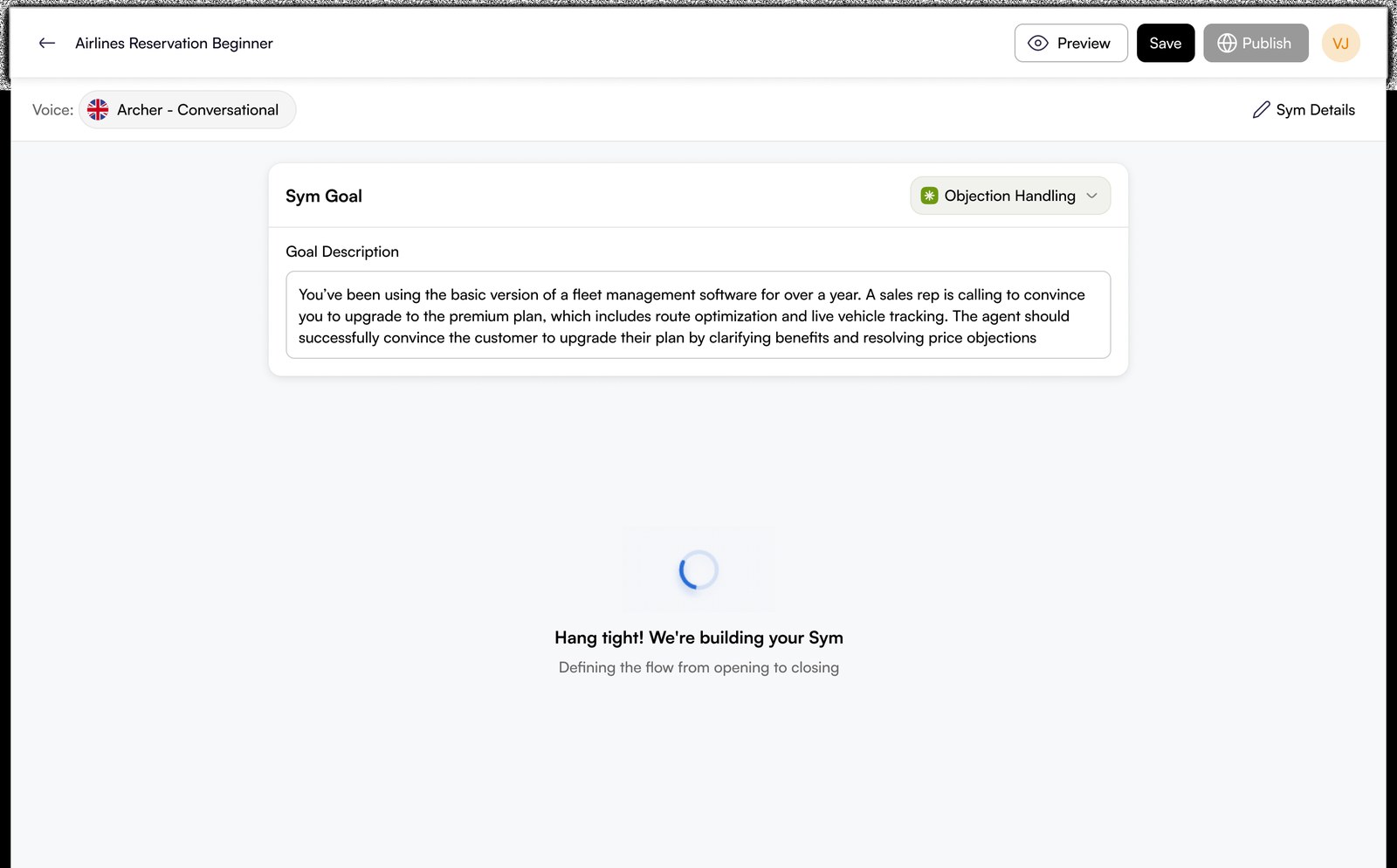
Creation starts in the same Sym library a trainer already knows and ends with a published Visual Dynamic Sym. The complexity of two synchronised layers is kept behind a flow that reads like building one thing.
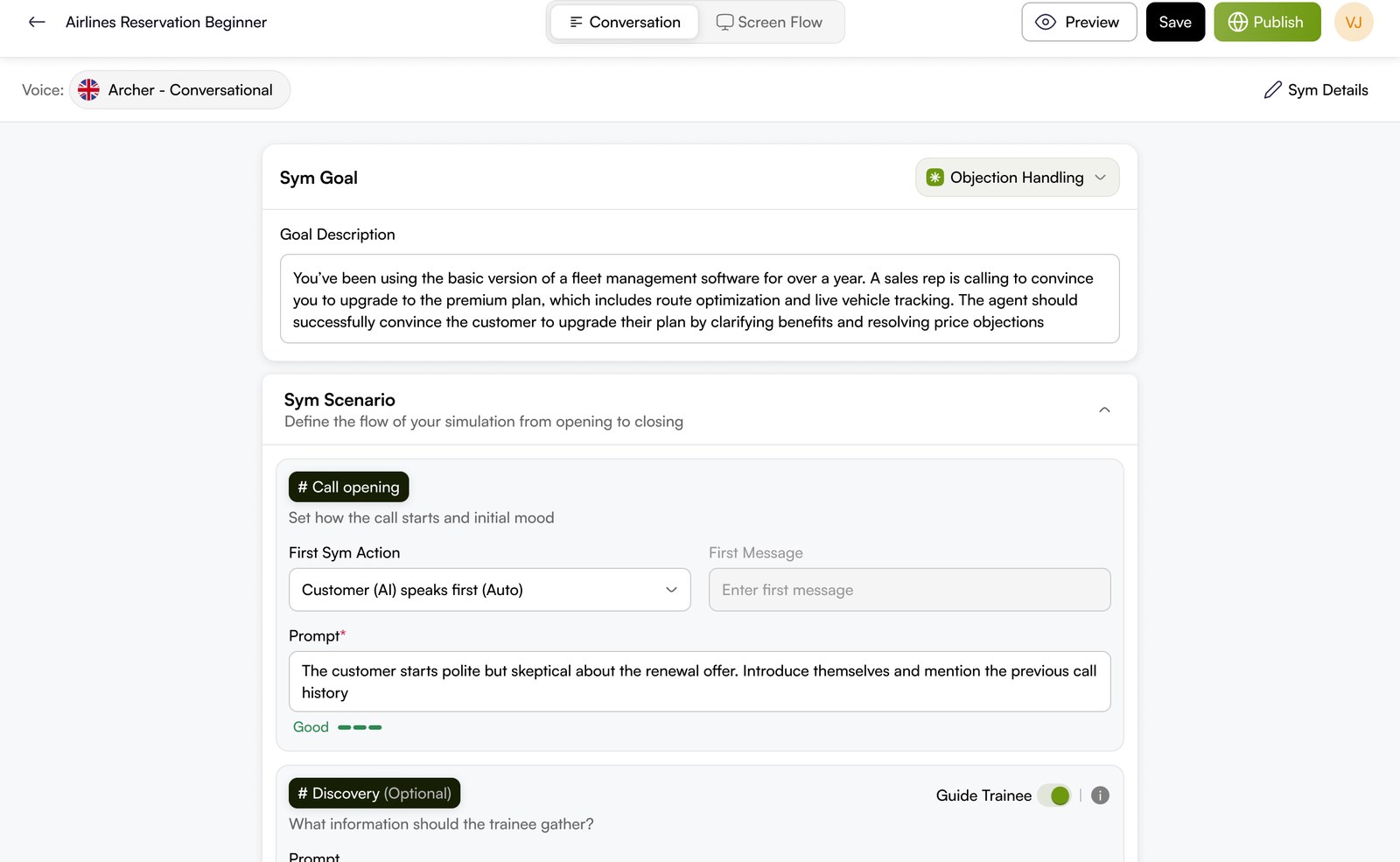
The screen layer, and the one move that makes it possible.
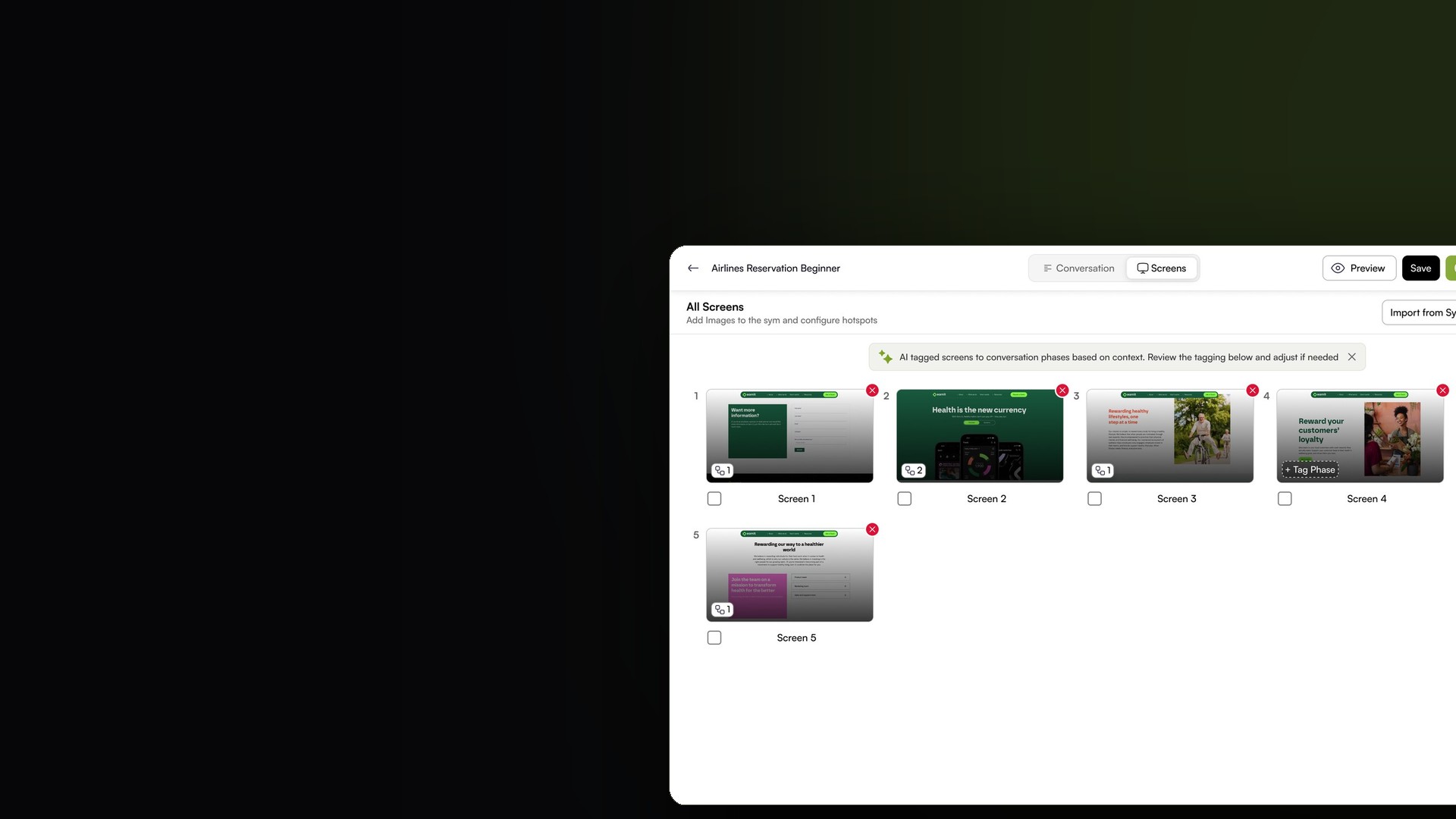
On the Screens tab the creator assembles the visual environment. The problem of ordering screens for an unscripted call is solved by handing the first pass to AI: it reads the conversation and tags each screen to the phase it fits, and the creator reviews and adjusts.
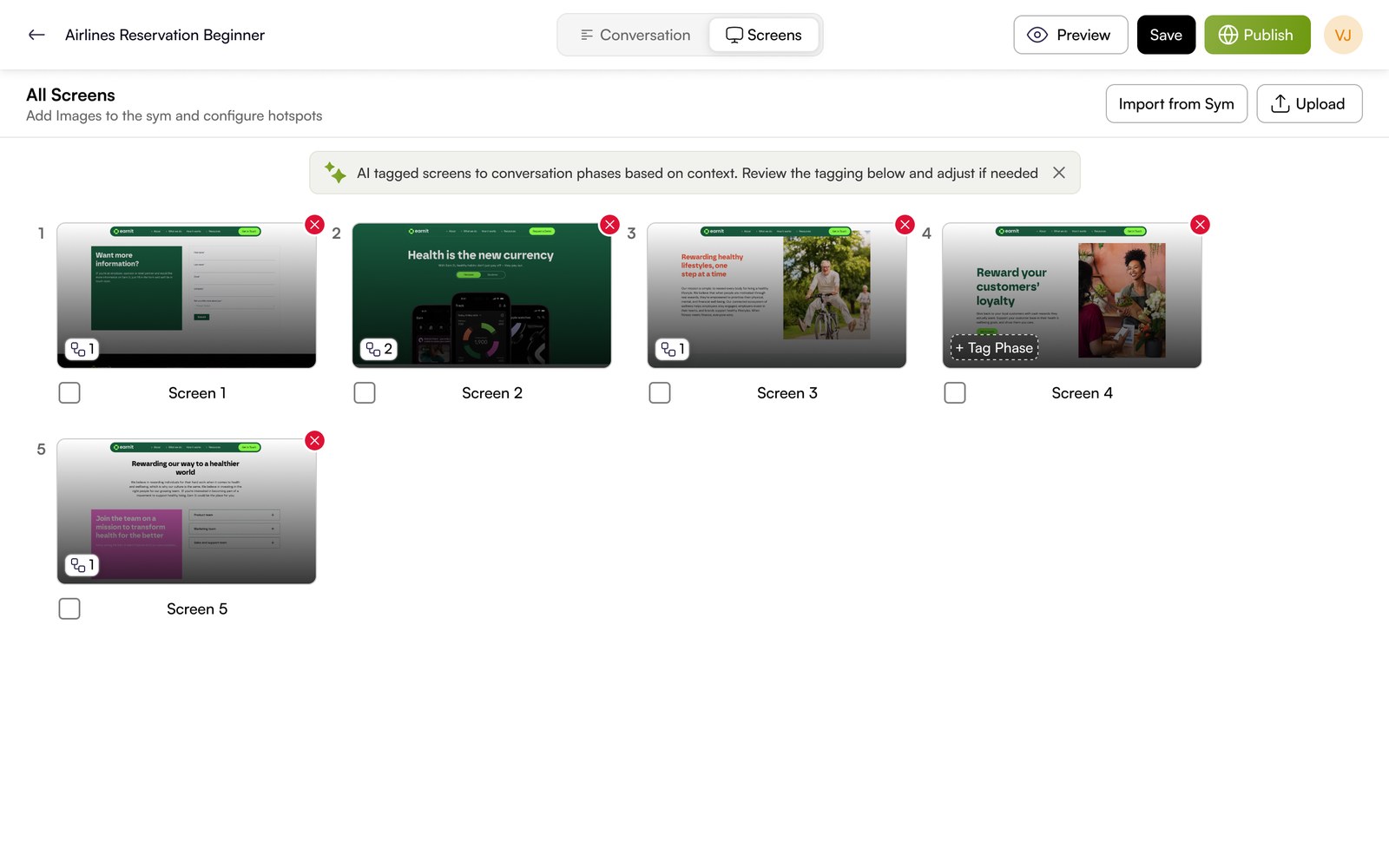
AI does the pass, the creator keeps control
Auto tagging removes the tedious part, mapping a pile of screens onto a conversation, while the explicit badges, the plain language banner and the Tag Phase control keep the creator in charge of the result. The AI proposes, the person decides.
Hotspots make a screen interactive
Each screen is more than a picture. Hotspots turn regions of a screen into the things a trainee can click, so working the interface becomes part of the practice, not a backdrop to it. Configuring them lives on the same tab, beside the phase tagging.
What the trainee ends up practising.
Published, the two layers become one experience. The trainee holds an unscripted conversation with the AI customer and, as the call moves through its phases, the screens tagged to those phases come forward, with their hotspots live to click.
This study documents the creation experience, which is the part I designed and the part these materials evidence. The trainee runtime and the scored playback for visual Syms are not shown here, so I am describing what the creation model produces rather than claiming screens or outcomes I cannot show. Scoring itself follows the same rubric and playback model used across Symtrain dynamic Syms.
Hard sequencing was the obvious answer. Phases were the right one.
Built inside Symtrain's own design system.
A more complex flow still had to feel native. The Conversation and Screens tabs, the AI suggestion banner, the screen cards and the type picker are all assembled from Symtrain's existing foundation, Satoshi for type and a disciplined colour system, so new capability reads as the same product.
The design was in the join, not the layers.
A conversation engine existed. A visual Sym existed. The work was the connection between them, and finding a model, binding screens to phases, that could carry an unscripted call without asking a trainer to think like an engineer.
The move that made it humane was letting AI take the first pass and the person keep the final say: auto tag the screens, show the reasoning in plain language, expose every tag, and make adjusting it a single control. That pattern, AI proposes, the creator decides, is what let a genuinely complex capability ship as something a trainer could actually use.