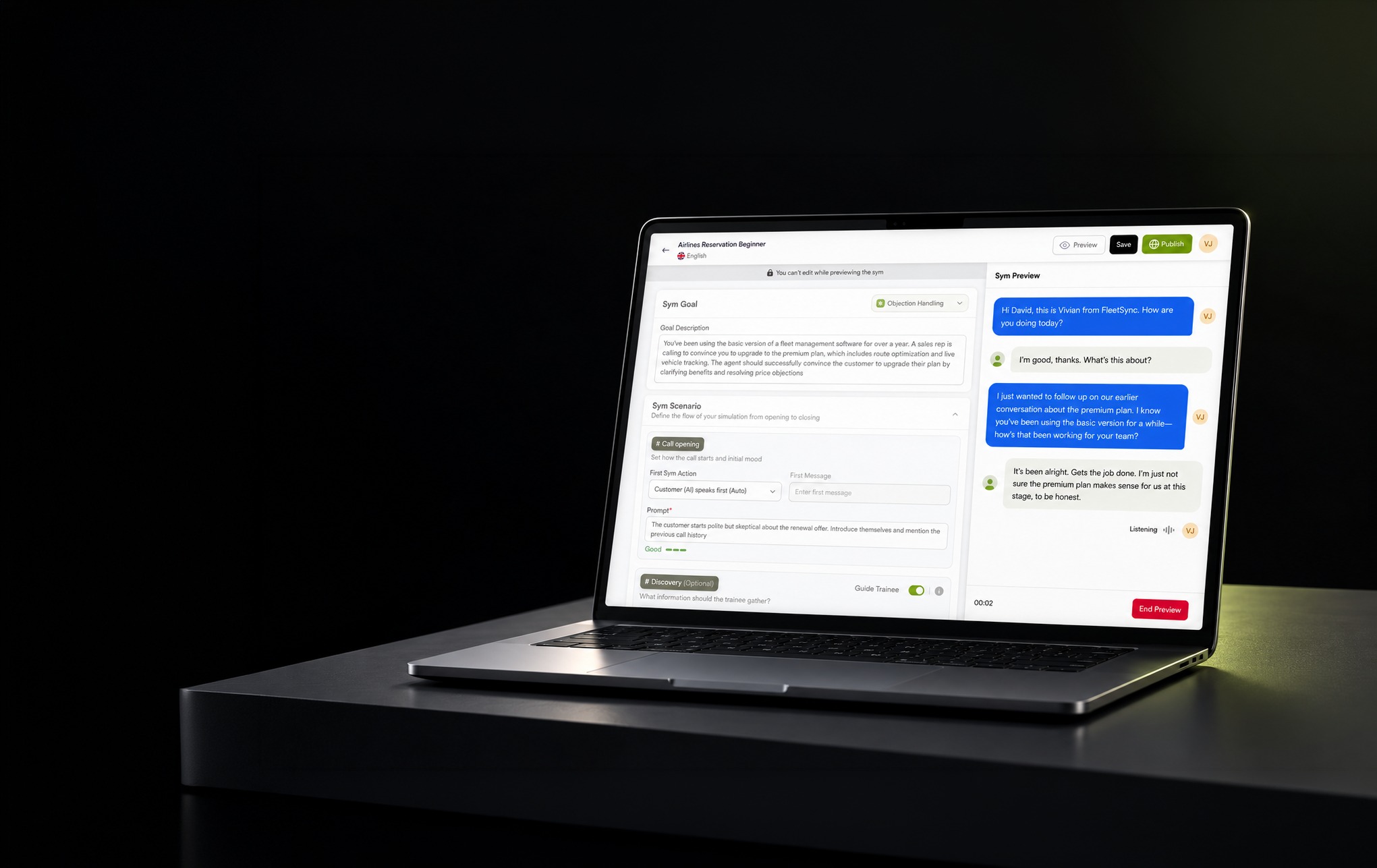
Symtrain · UX Design · 2025
Dynamic Syms
An AI customer that can improvise, and a builder that keeps the training on purpose. Designed from creation to live practice.
Symtrain is a simulation based training platform for customer facing teams. Instead of shadowing live calls or sitting through slides, reps practise the real moments of the job, a billing dispute, an objection, an escalation, inside realistic simulations, get scored against a rubric, and get coached on what to fix. The full loop, create, practise, assess and improve, lives in one product shared by the trainers who build the exercises, the trainees who take them, and the managers who get a team ready for the floor.
For years those simulations were scripted by hand, so a trainee rehearsed a fixed branch tree and froze the moment a real customer went off script. Dynamic Syms replace the script with an AI customer that improvises, responding to whatever the trainee actually says, in real time, with a chosen personality and goal. My work was to make that shift usable and trustworthy: a simulation a trainer can build without writing prompts, a score a rep can believe, and a live call that holds together, across the creator, trainee and manager experiences.
What Symtrain is, and where Dynamic Syms fits.
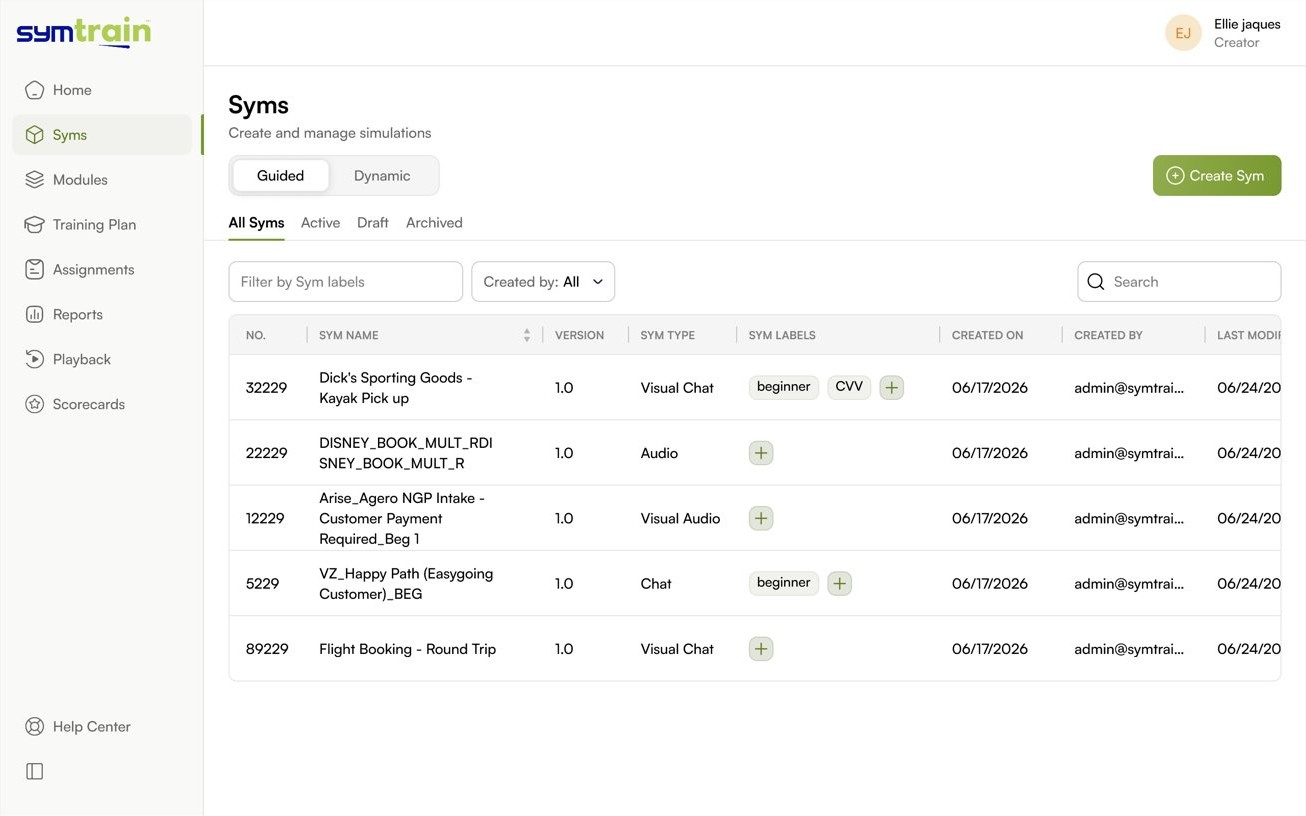
Symtrain runs a full training loop for contact centres and customer facing teams: create a simulation, practice it, assess the attempt, analyse the results, coach the gap, repeat. The unit of practice is a Sym, a controlled recreation of a real work scenario. A Sym can be audio, chat, or a visual walkthrough of real software, and it lives inside modules and training plans with its own scorecard.
A manager assigns Syms, a trainee takes them in practice or test mode, and the platform scores every attempt against a weighted rubric. The point is not a quiz. It is reps on the hardest moments of the job before those moments happen with a real customer on the line.
Historically every Sym was a scripted branch tree. A trainer hand authored each line the customer could say and each path the conversation could take. Trainees learned to navigate that tree. They memorised the happy path and froze the moment a real customer said something off script.
Dynamic Syms replace the tree with an AI customer that responds to whatever the trainee actually says, in real time, with a chosen personality and goal. Same scoring, same reporting, a conversation that never runs on rails. The question this project had to answer was how a trainer creates one of those without writing a single prompt.
Unscripted AI is easy to demo and hard to make trustworthy.
A model that talks back is one API call. A training tool a company will stake its onboarding on is a different thing entirely. Four tensions shaped every decision.
The prompt engineering wall
The people who know the scenarios are trainers and subject matter experts, not engineers. Hand them a blank prompt box and the feature dies on arrival. Creation had to feel like filling in a brief, not programming a model.
Control over an improviser
An AI customer that can say anything will. It has to stay inside the scenario, respect policy and facts, hold a consistent personality, and not wander off or end the call early. Freedom needed guardrails the creator could set.
A score people believe
If the conversation is different every time, the scoring has to feel fair every time. Trainees and managers needed to see exactly why an attempt passed or failed, criterion by criterion, with the transcript as evidence.
Real time, not eventually
Practice only works if the customer answers like a customer. Latency, audio lag and abrupt endings break the illusion instantly, so the experience had to be designed around speed and graceful recovery, not just the happy path.
Structure the freedom. Never show a blank box.
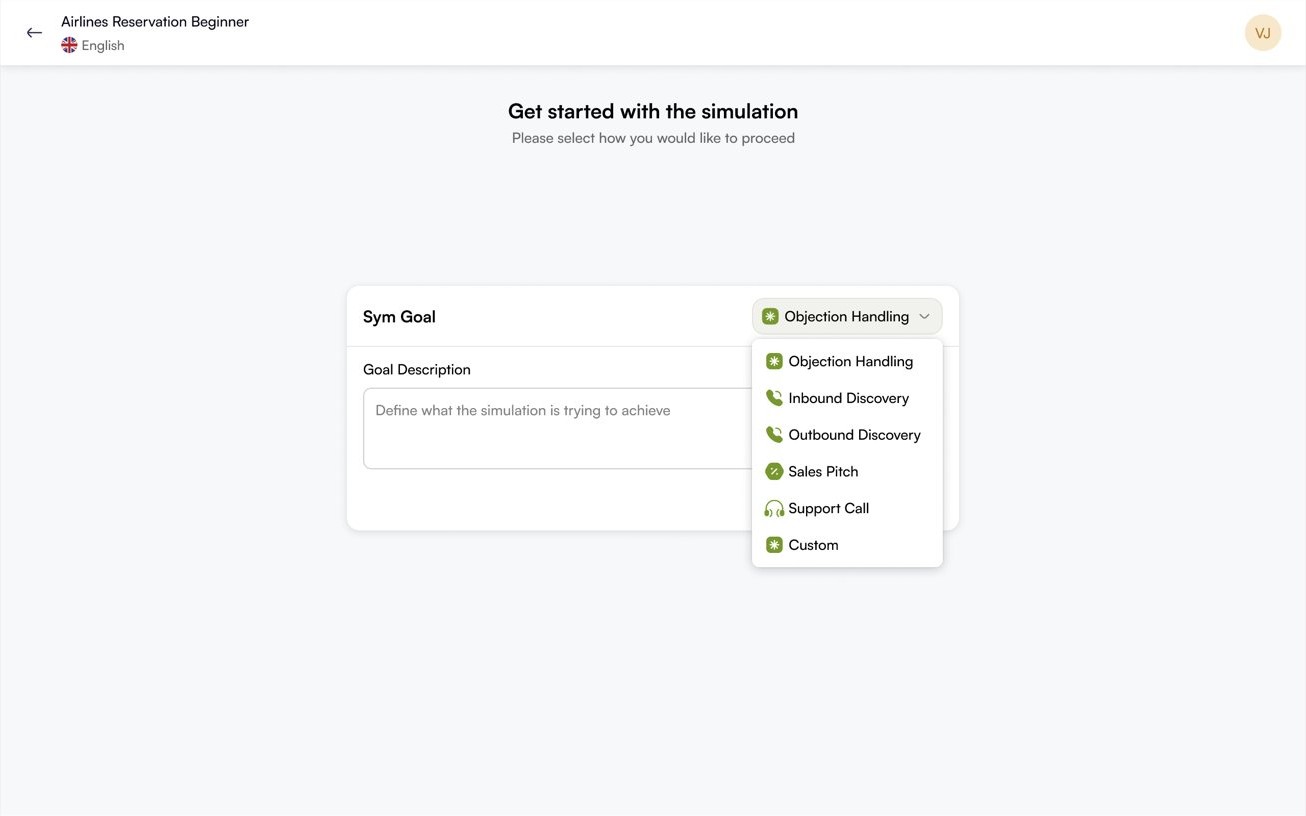
The core move across the whole feature was the same: take something open ended and give it a shape a non technical person can reason about. Goals become templates. Prompts become labelled fields. Scoring becomes a rubric. Personality becomes a few named dials.
That principle flows through three experiences, the creator who builds the Sym, the trainee who lives inside it, and the manager who assigns it and reads the results. The rest of this study walks each one, then shows how they close into a single coaching loop.
The process radiated outward from the problem.
Research expanded into design, and design into validation. Each ring is a phase, each marker a hand off from one to the next.
Three roles, one shared object model.
Everything in Symtrain is built from a small set of objects. Dynamic Syms slot into that model as a new kind of Sym, so creators, trainees and managers each get a view tuned to their job without fragmenting the system underneath.
Built inside Symtrain's own design system.
Dynamic Syms was new, but it could not feel new. It was built on Symtrain's existing foundation, Satoshi for type and a disciplined colour system, so a generative feature still read as native to the product.
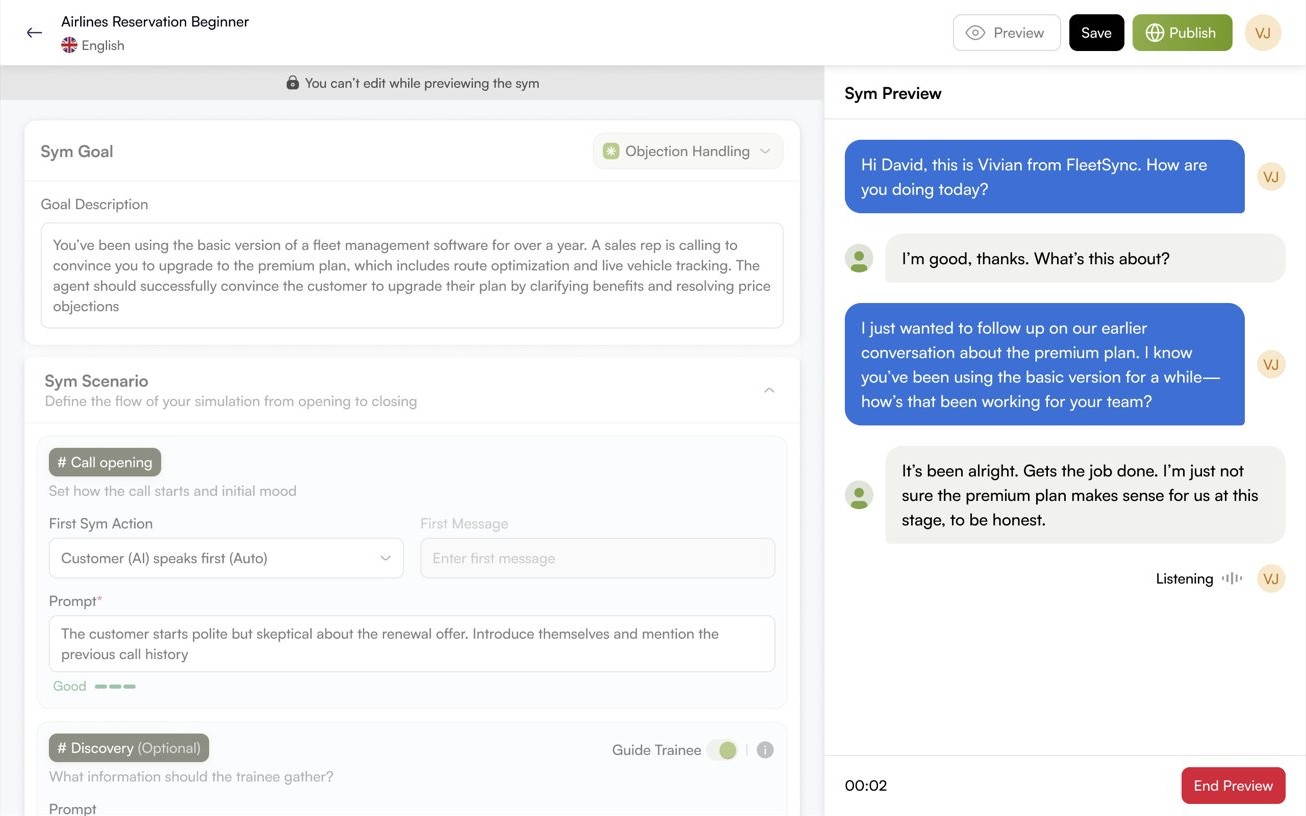
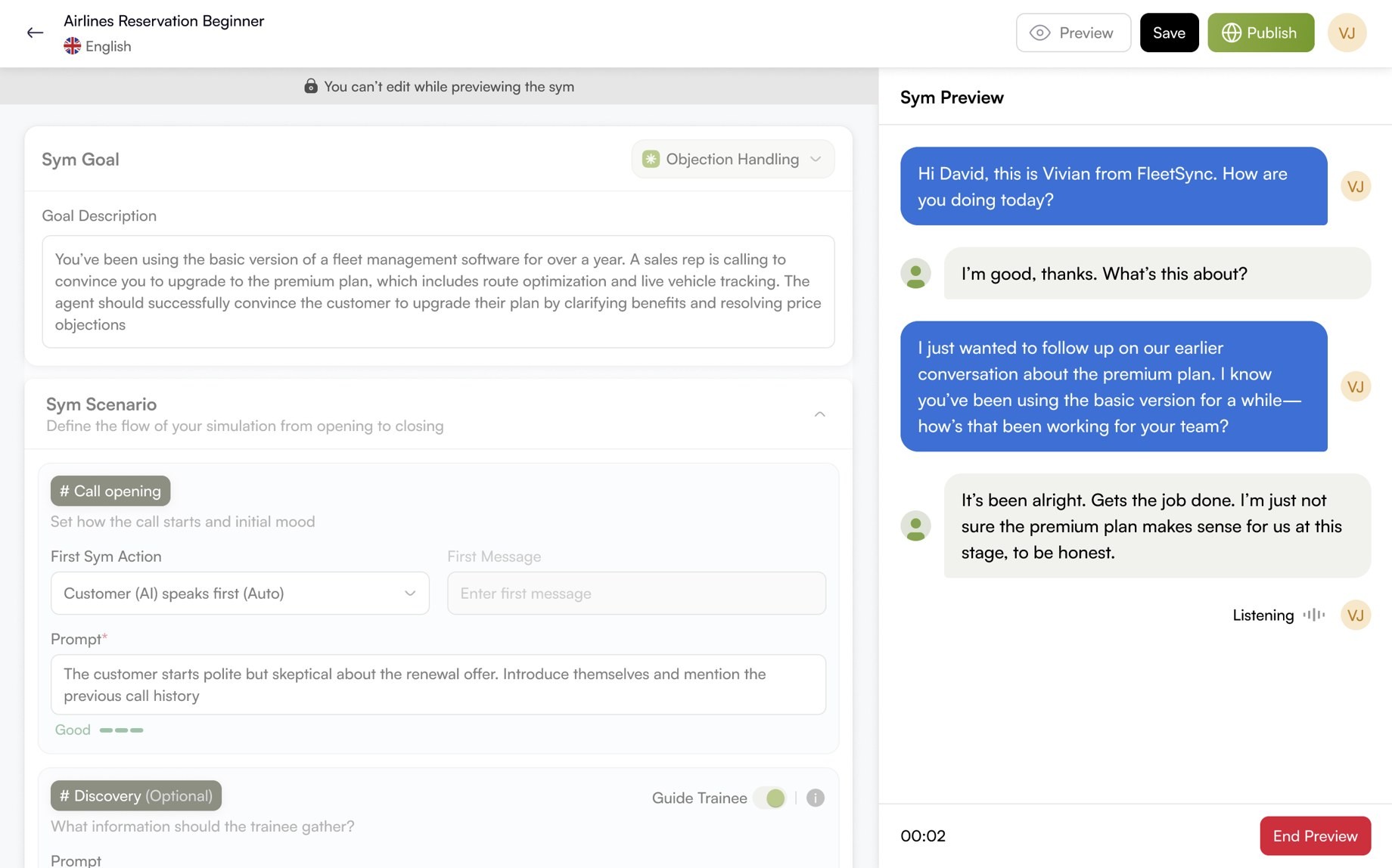
A trainer builds an AI customer by describing a scenario, not a model.
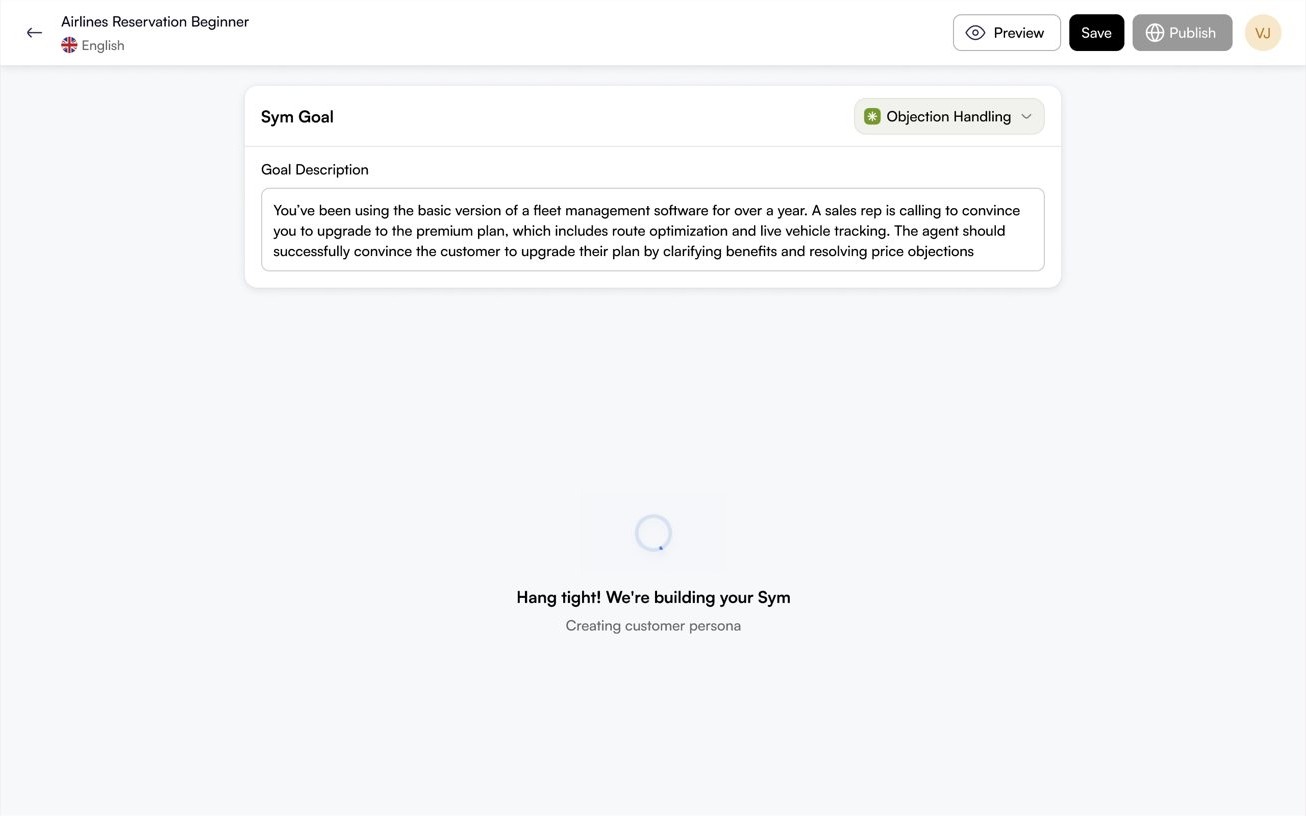
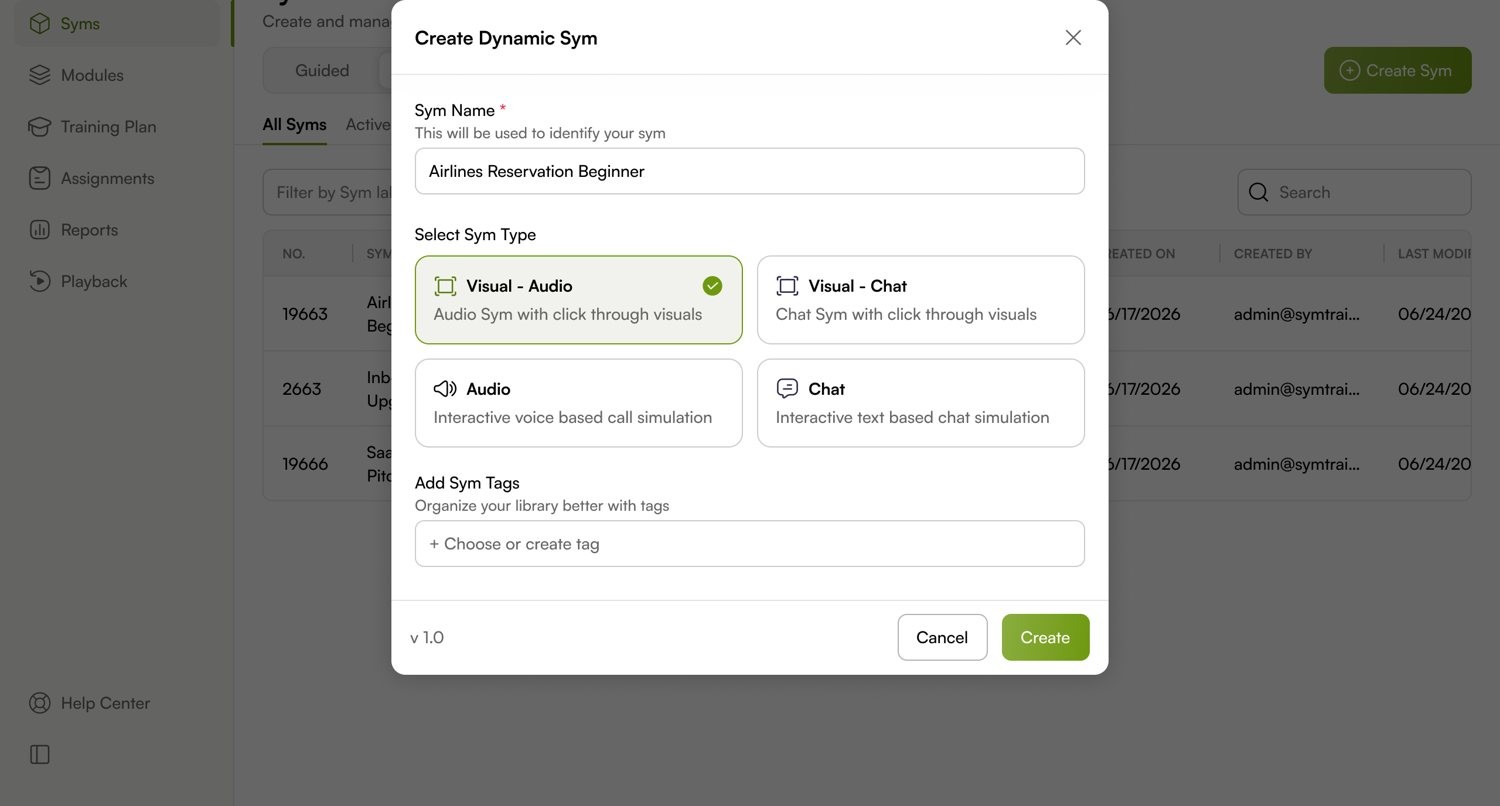
Creation starts from the Sym library and ends with a working, scored, unscripted simulation. At no point does the creator write a prompt. They pick a goal, let AI draft the scenario, then shape it through structured fields they already understand.
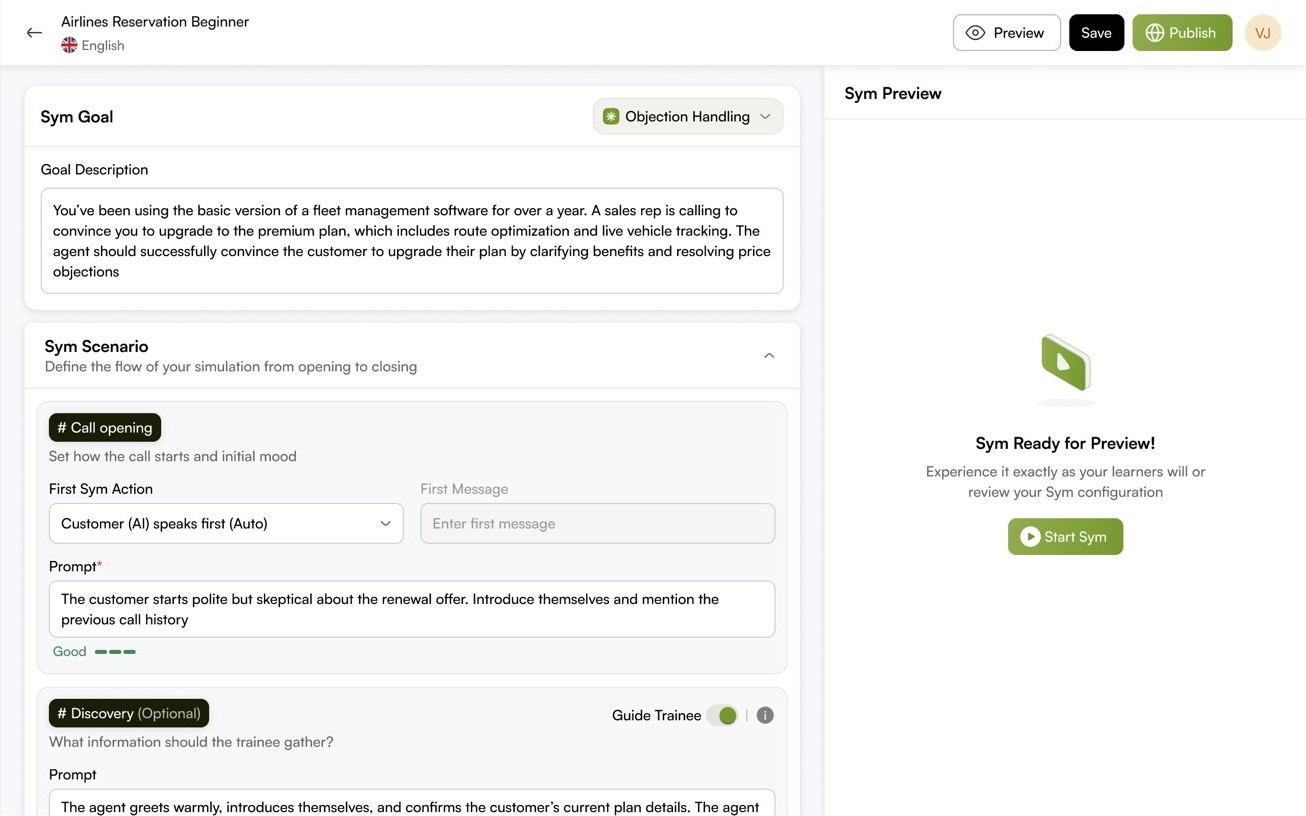
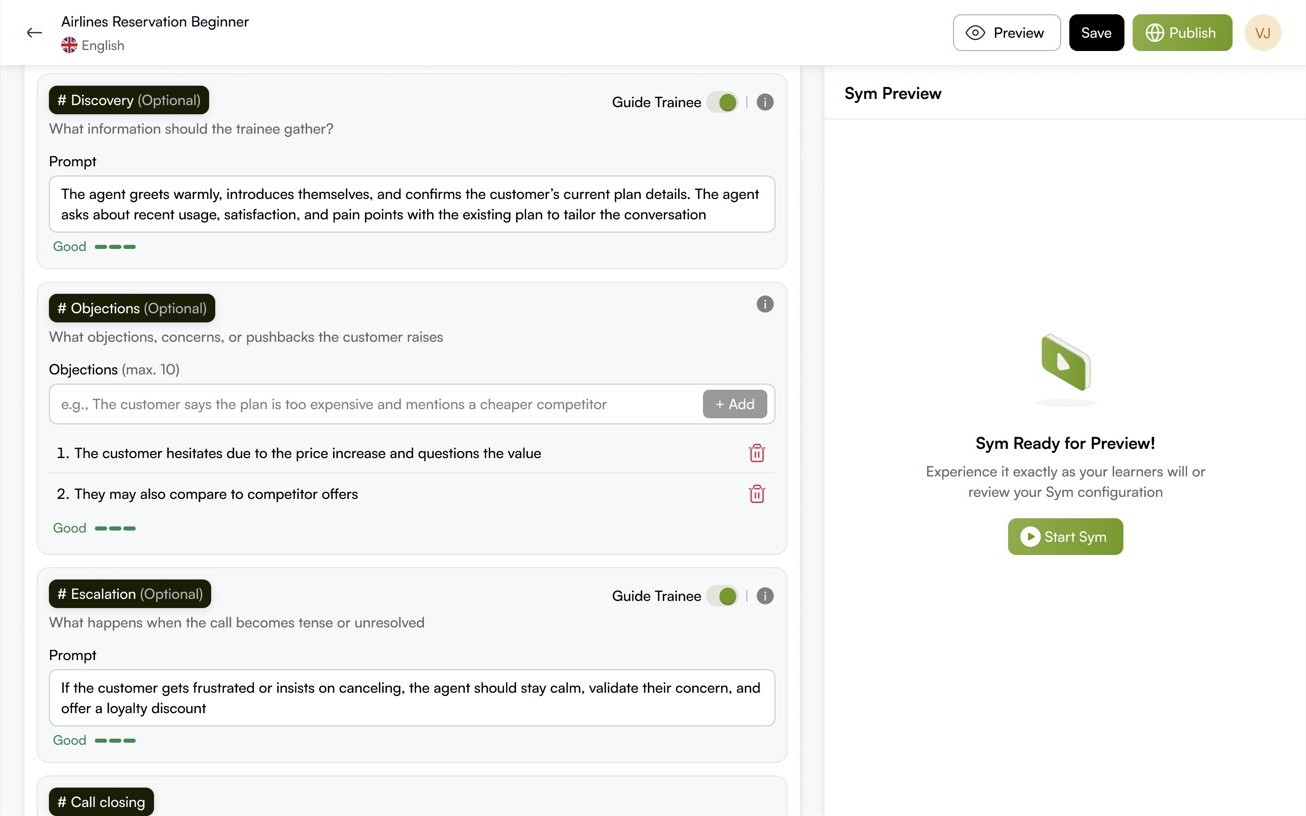
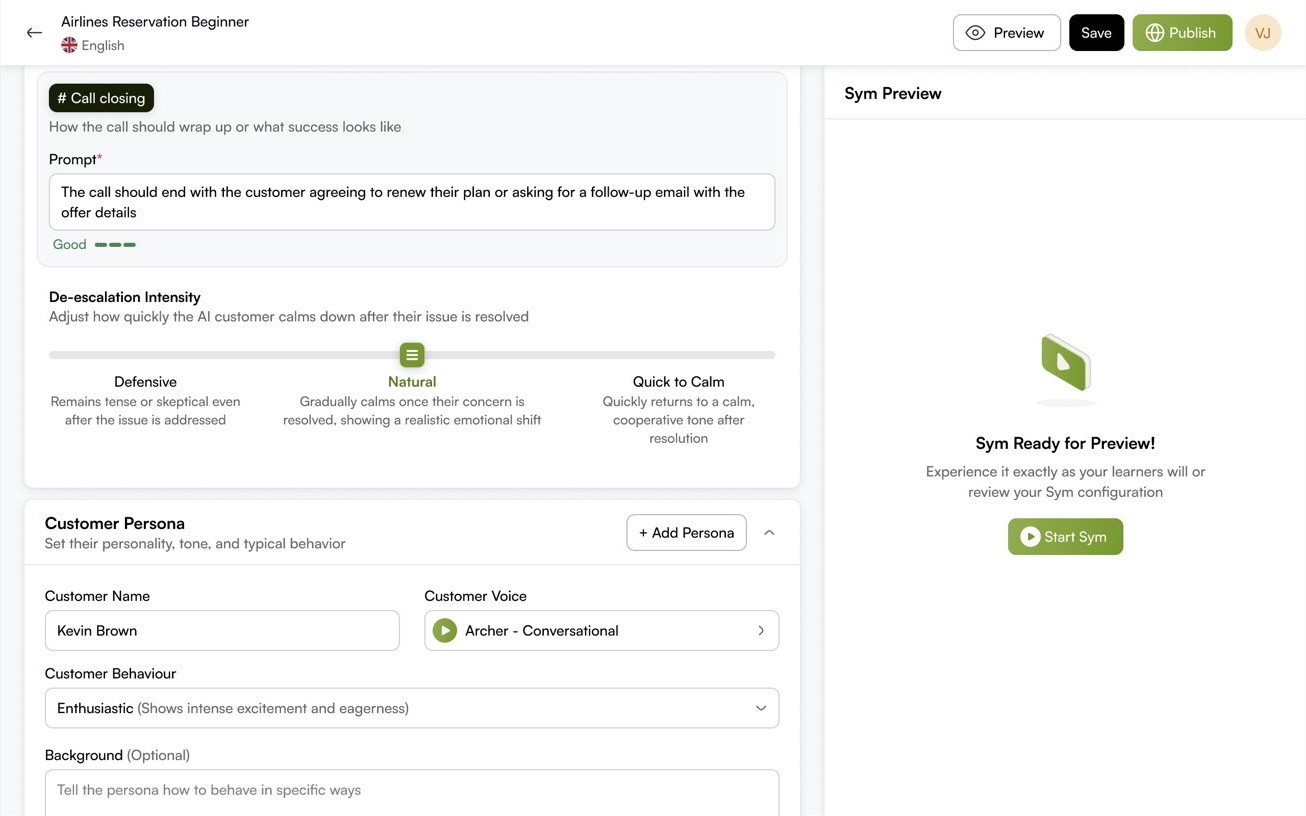
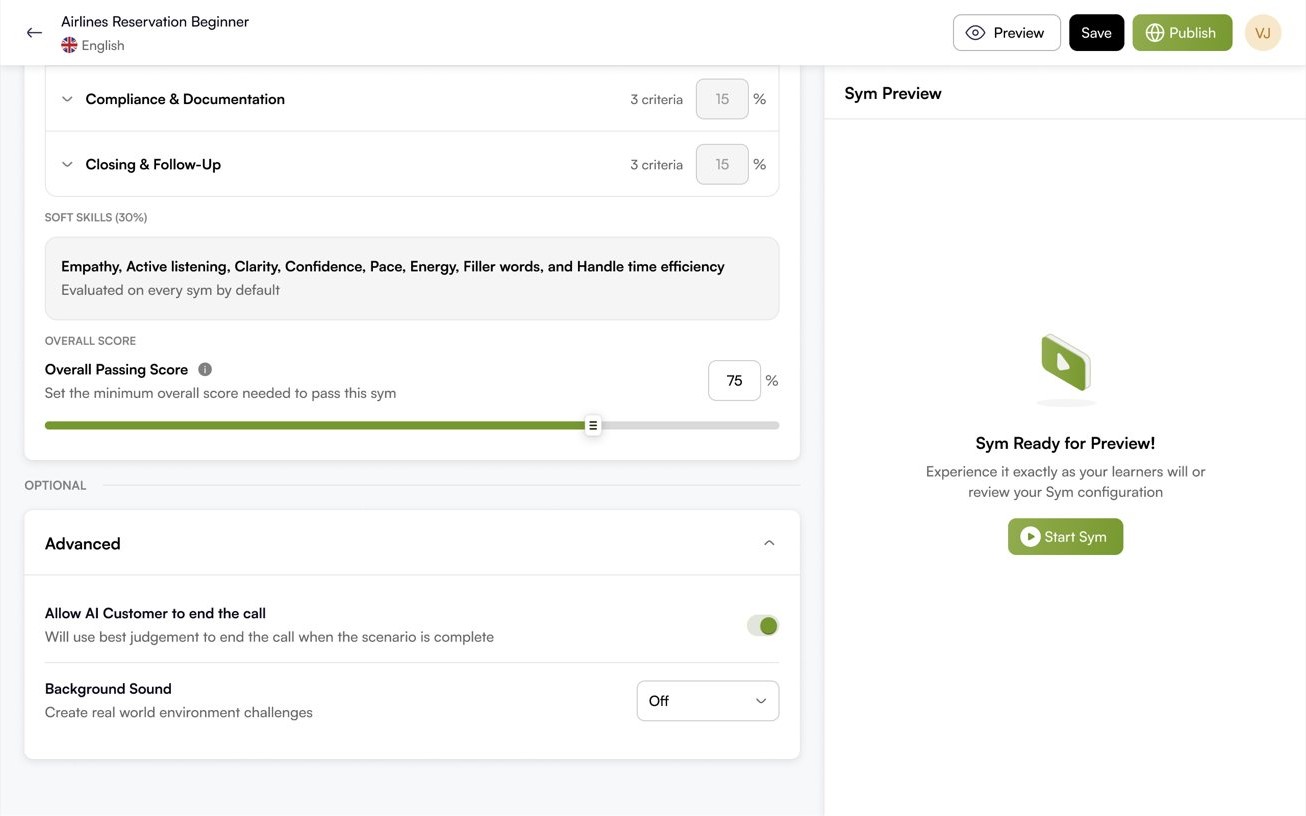
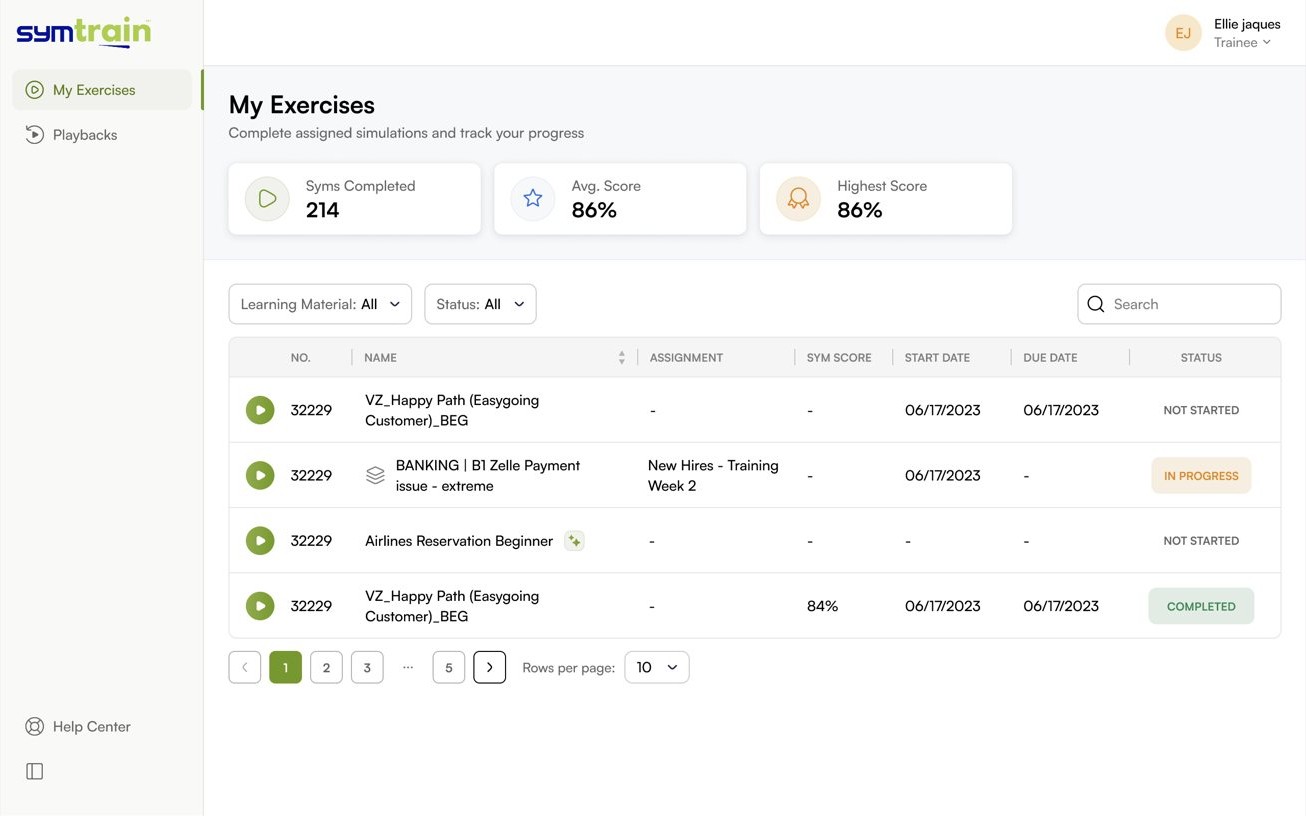
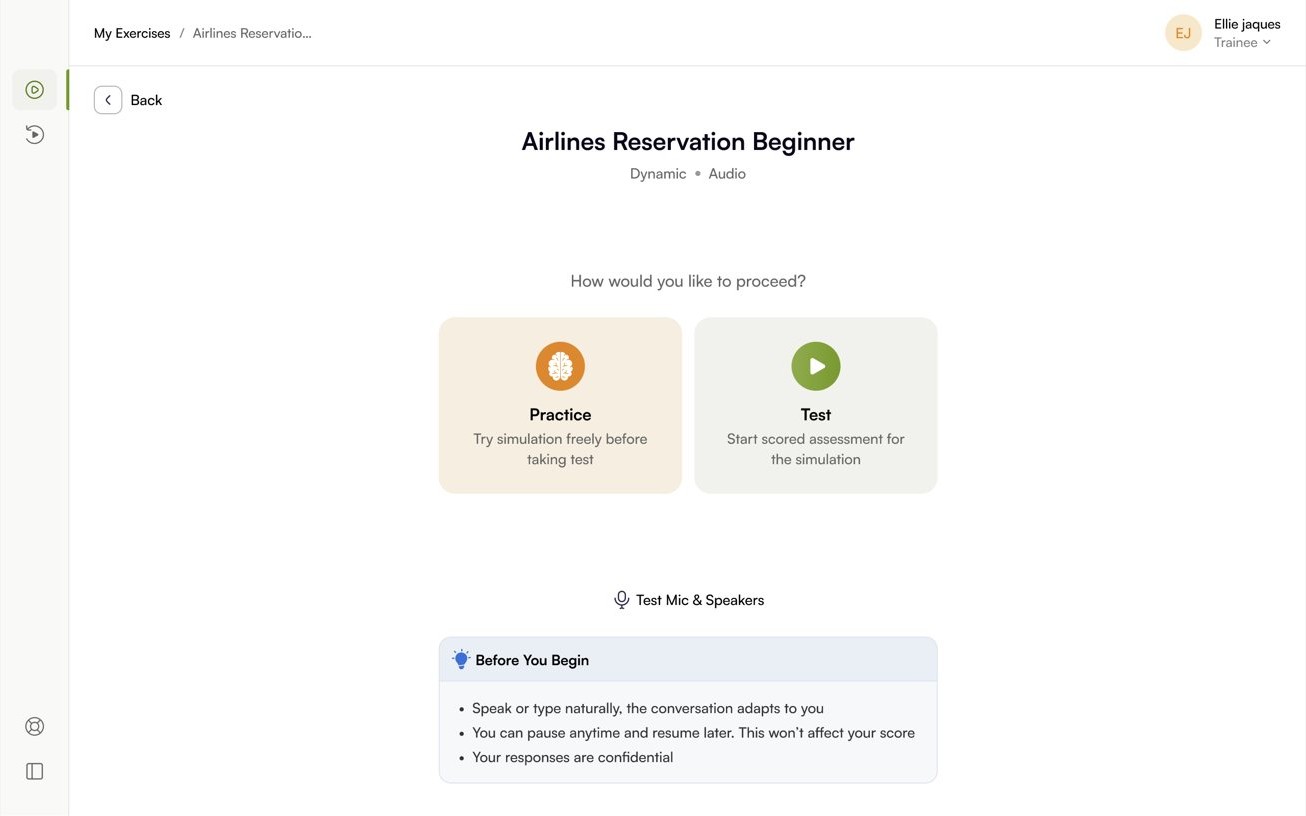
For the trainee it should feel like a real call that forgives.
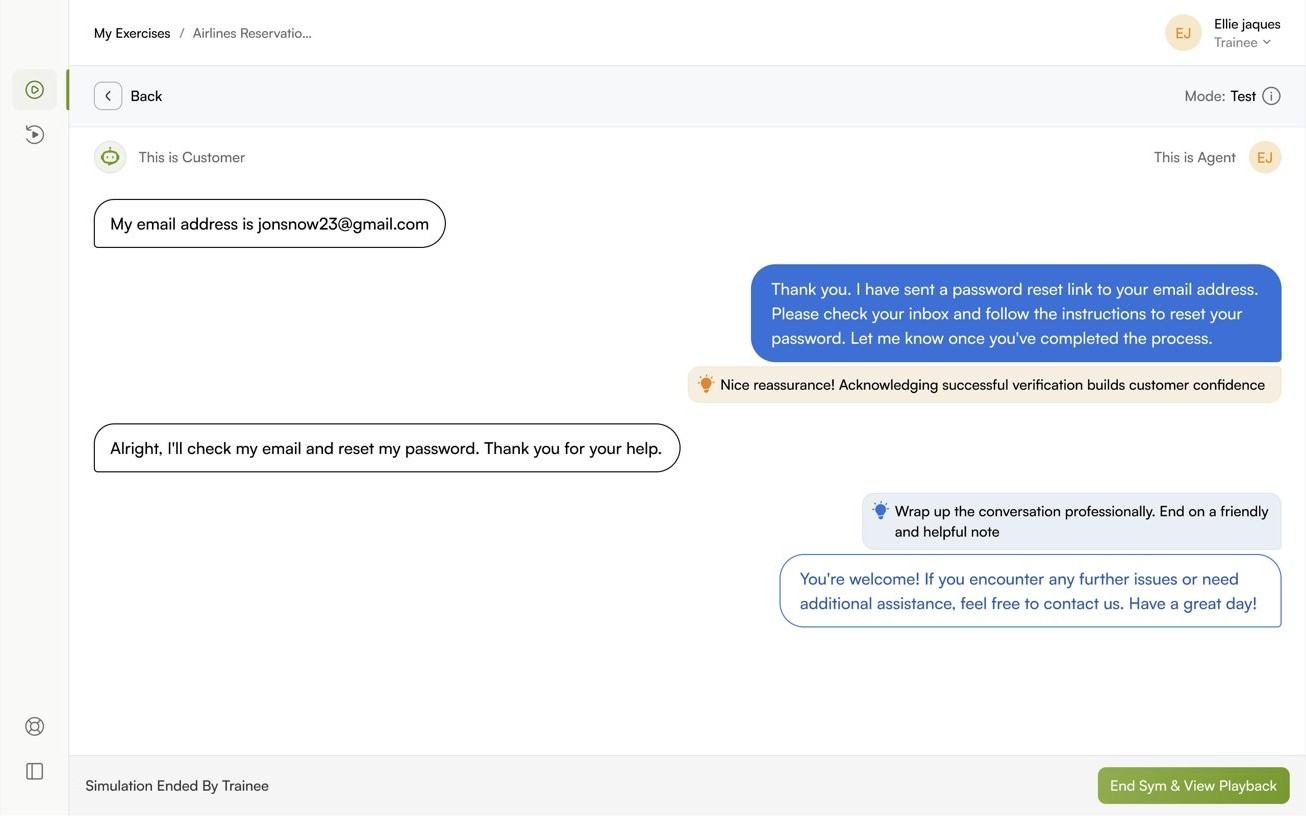
The trainee always knows where they are, which mode they are in, and whether it counts. They choose practice to learn safely or test to be assessed, hold a live conversation with the AI customer, and get a score they can actually read.
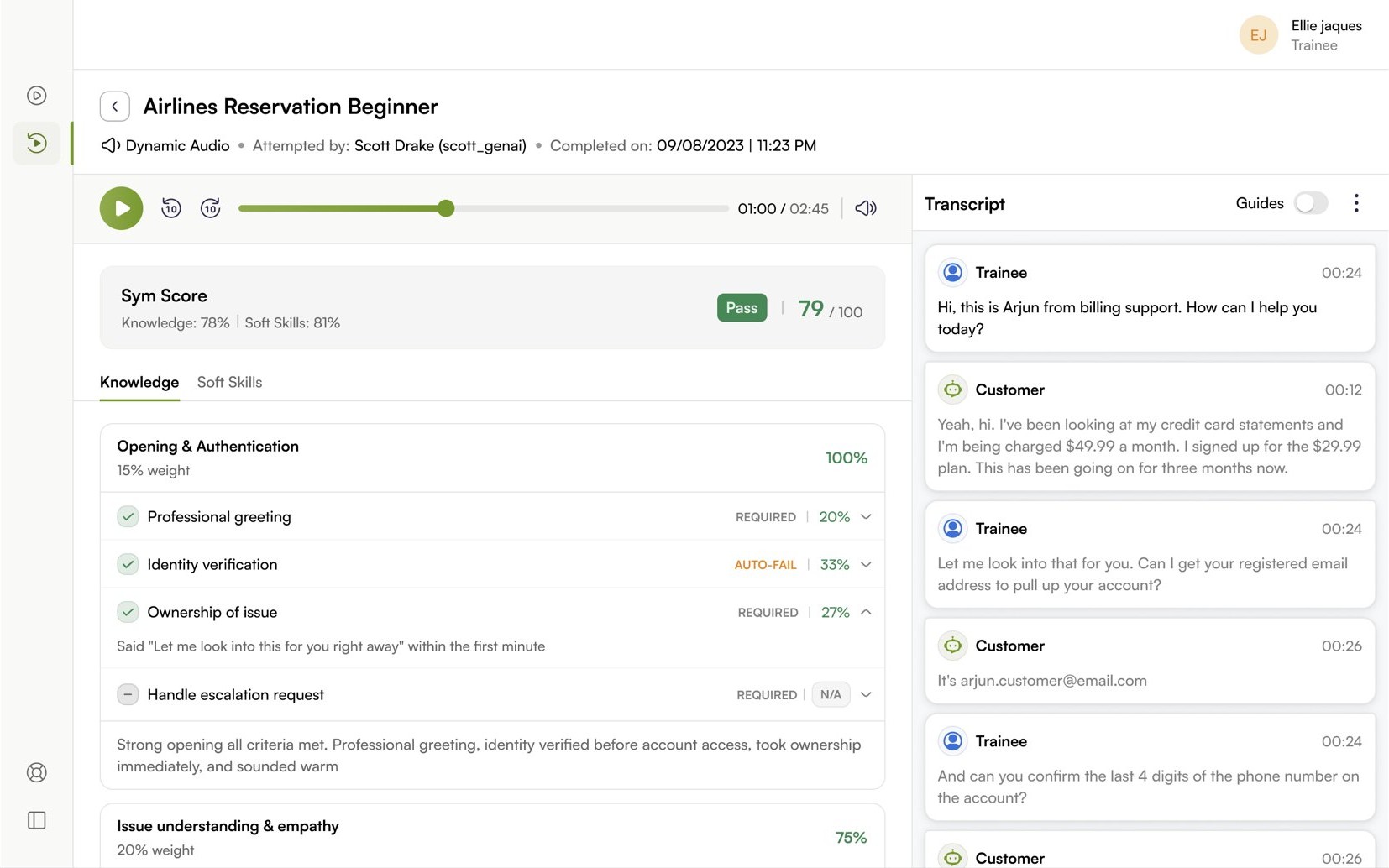
Fair scoring of an unscripted call is a design problem, not just a model one.
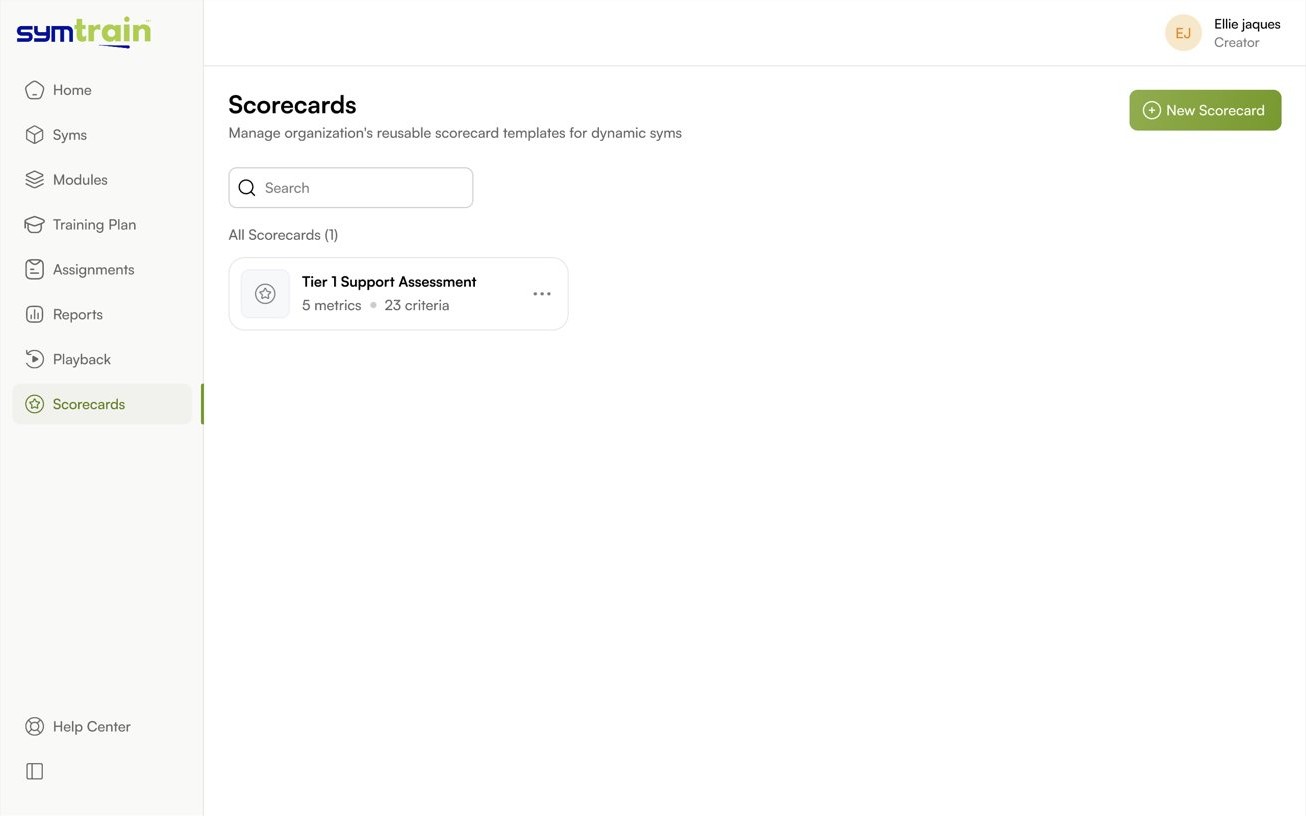
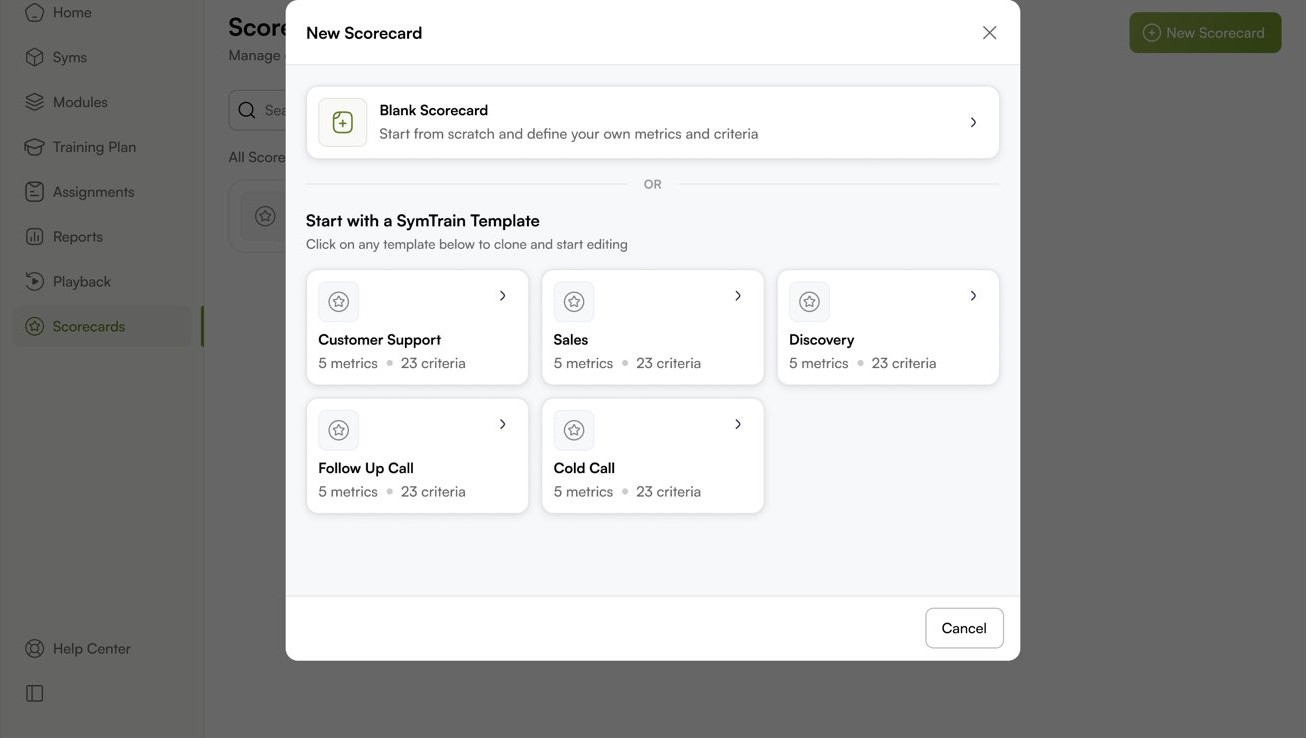
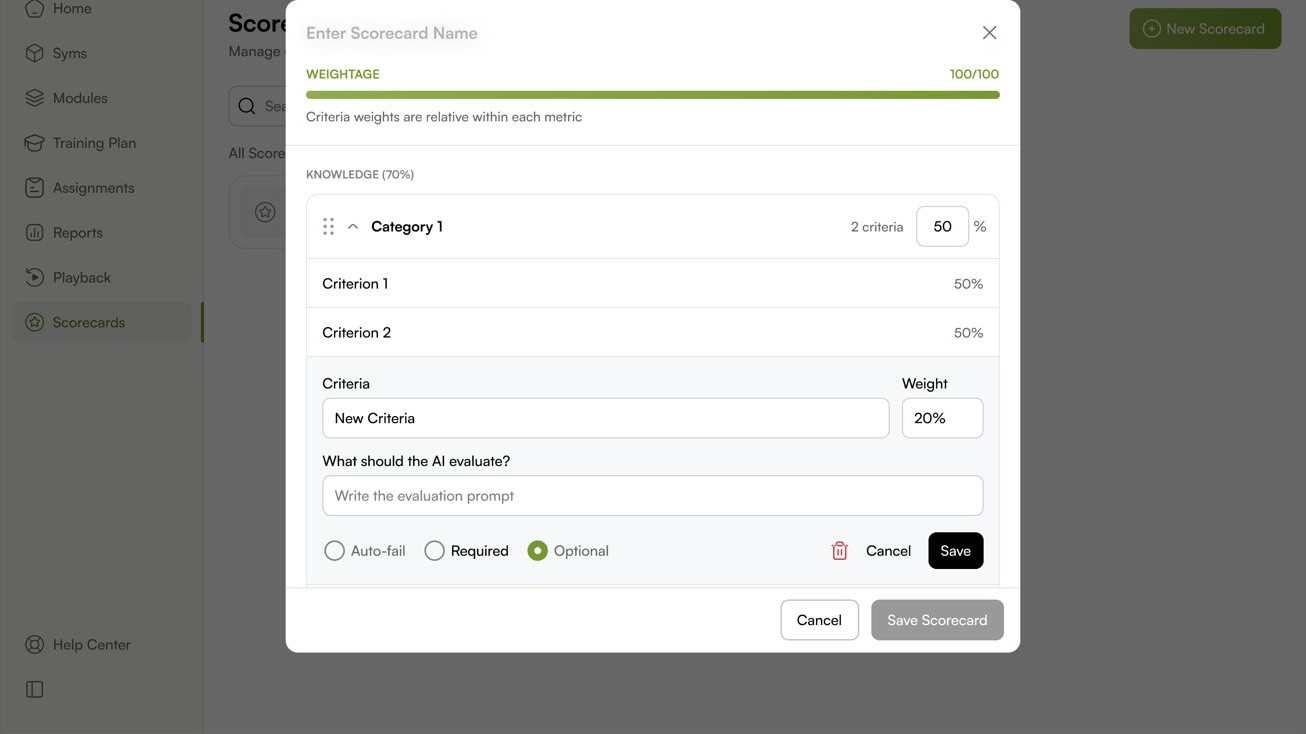
Scorecards are reusable templates a manager builds once and reuses across Syms. Each criterion carries a weight, an evaluation instruction the AI judges against, and a severity, so the rubric is explicit long before anyone is scored by it.
When the words are not enough, practise on the real screens.
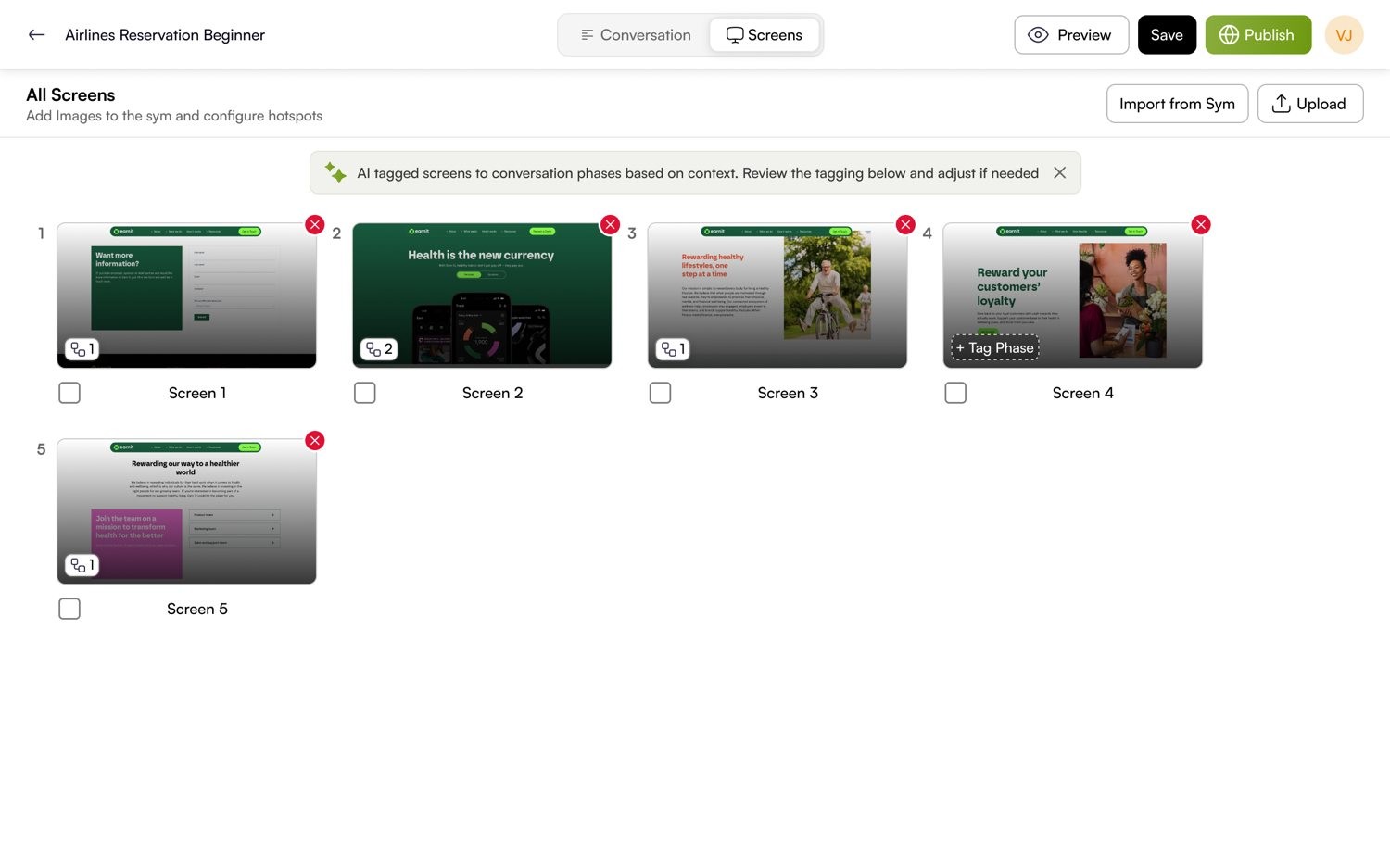
Some jobs are not only a conversation. A rep is also navigating software while they talk. Visual Syms layer the real product screens, with tagged hotspots, onto the same dynamic conversation, so the trainee handles the call and the tool at once.
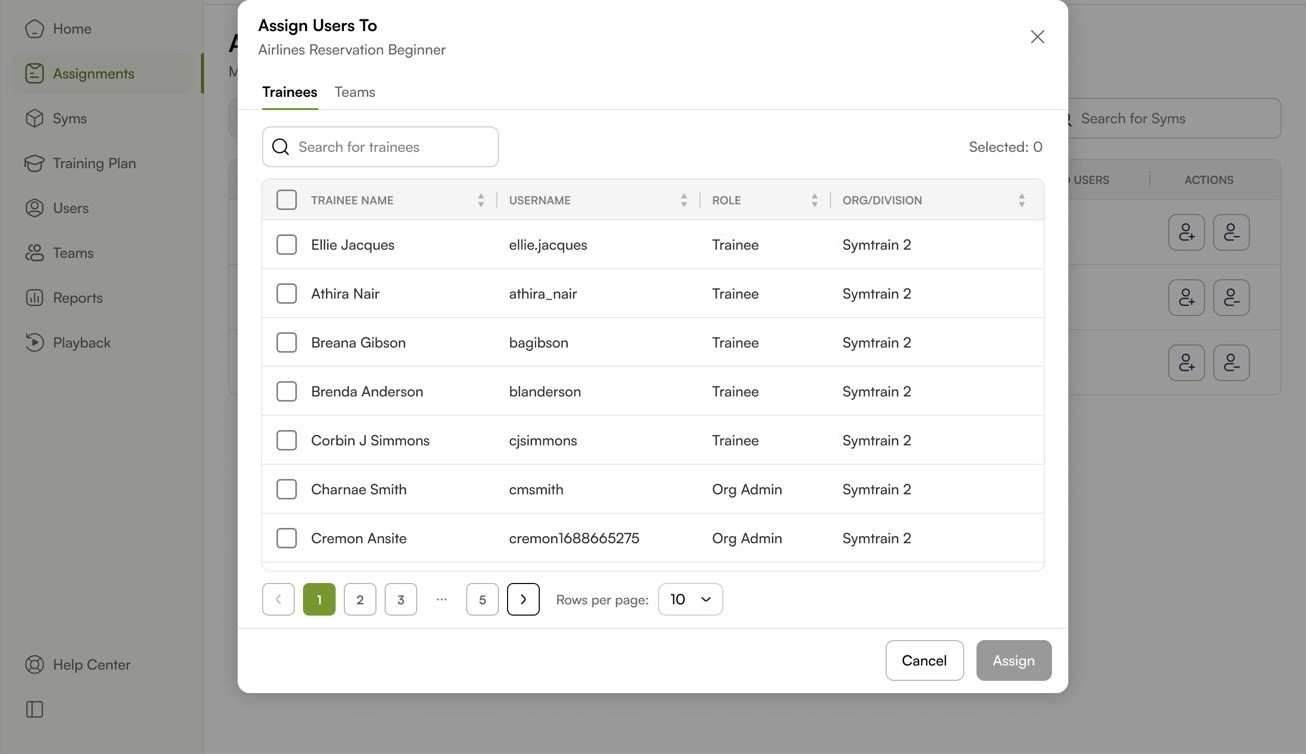
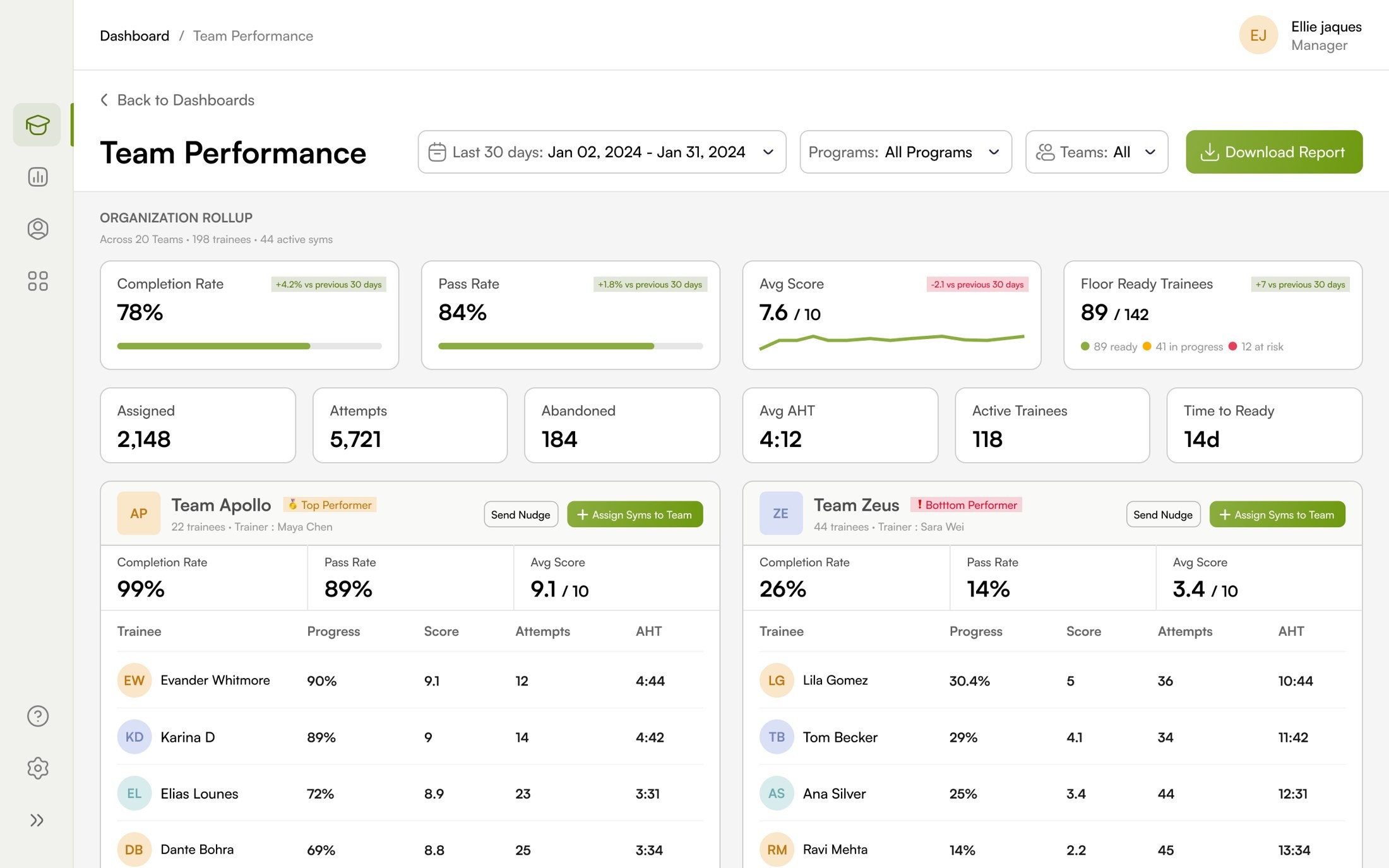
Assign the work, then watch a team get ready for the floor.
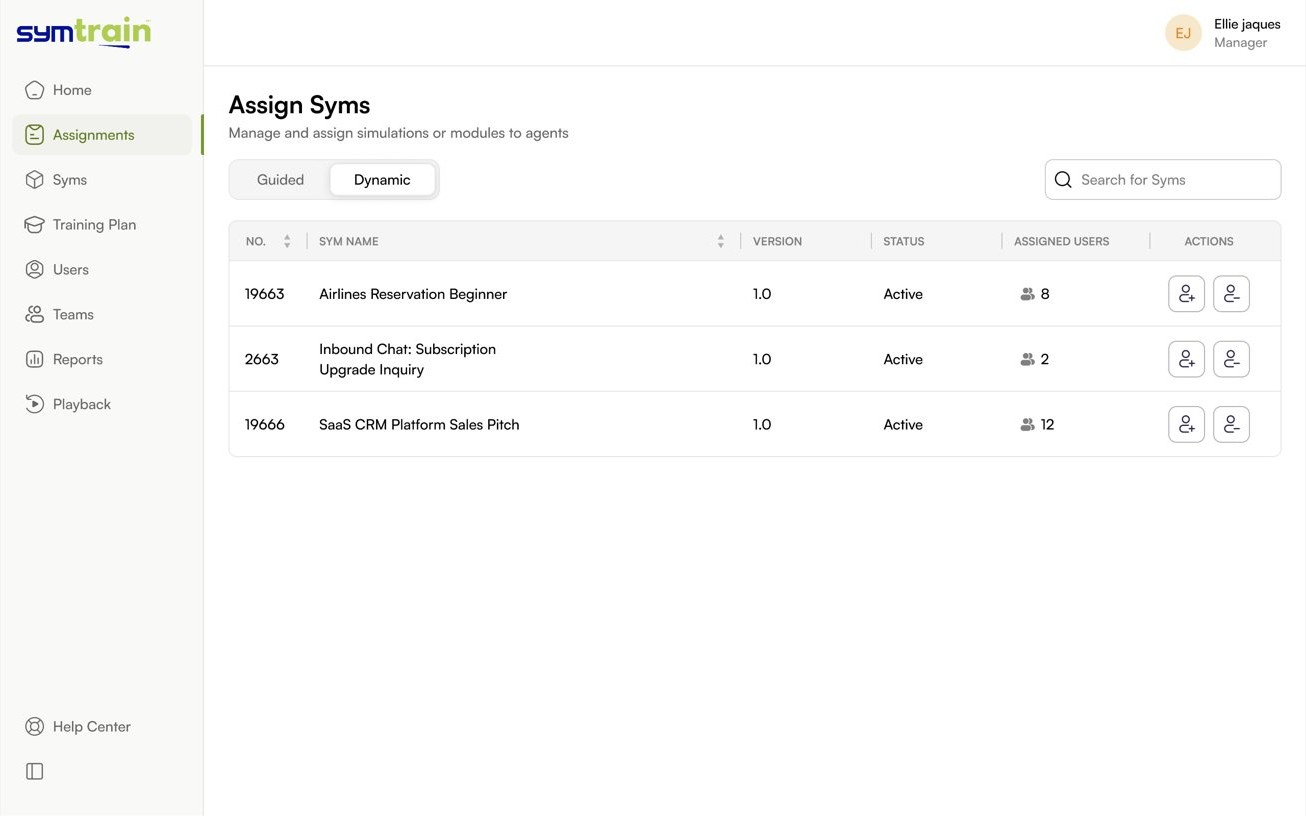
The manager side turns individual attempts into a program. Assign Syms to people or whole teams, then read performance in one place, who is floor ready, who is at risk, and which skills the training is actually moving.
The hard part was never the AI. It was making a team trust it.
What the design changed.
Dynamic Syms moved Symtrain from authoring branch trees to describing scenarios. The work spanned research, interaction design, UI and testing, and shipped as the flows shown here. A few signals from moderated testing and early rollout.
Research led
The direction came out of usability testing and UAT, where the recurring failures were a prompt engineering barrier for creators, broken trust when scoring felt opaque, and immersion breaking on latency and abrupt endings. Each became a design constraint rather than a bug ticket.
Honest framing
Figures here are directional signals from moderated sessions and a pilot cohort, not audited product metrics. The intent is to show what the design was built to achieve and the early evidence that it did, not to overclaim.